FSD Guard
Chrome & VS Code extension
The architecture linter that lives in your Pull Request.

Feature-Sliced Design rules live in people's heads, and a reviewer skimming a 300-line diff misses the import that reaches into another slice. FSD Guard checks them where the code is read: inside the Pull or Merge Request on GitHub and GitLab, across the whole repository in one click, and in VS Code as you type. No CI, no ESLint plugin, no setup in the project.
- Chrome
- VS Code
- GitHub
- GitLab
- TypeScript
- Manifest V3
- 6 languages
See it move
- 01demo
FSD Guard in 35 secondsA Pull Request check, the dependency graph, tracing a module, the Layers and Matrix views, and the health score.
What it does
Pull Request check
Finds violations in the added lines, highlights them inline in the diff and lists them in a draggable panel: why it's wrong, how to fix it, and a link to the FSD docs.
Full-repository audit
One click downloads the repository archive, scans every source file in the browser and opens a report grouped by file, with counts per rule.
Architecture graph
Every slice laid out by layer, from app down to shared. Upward and cross-slice imports light up; edge thickness is the import count.
Cycles & health score
Circular dependencies found and highlighted, the share of clean edges, violations by type and layer, hubs and orphan modules.
MR delta
Compare a Pull/Merge Request with its target branch and see which violations it introduces and which it fixes.
In your editor too
The VS Code extension runs the same engine: squiggles as you type, hovers that explain, quick fixes, and a whole-workspace scan.
Copy for AI
Export the findings as a prompt for ChatGPT, Claude or Copilot, opening with an architecture overview: health, hotspots, cycles.
GitHub & GitLab
Classic and new React diffs on GitHub, GitLab.com and self-hosted GitLab, public and private repositories through your own session.
Nothing leaves the browser
No servers, no analytics, no remote code. The diff and archive are analysed locally; settings stay in chrome.storage.
Screenshots
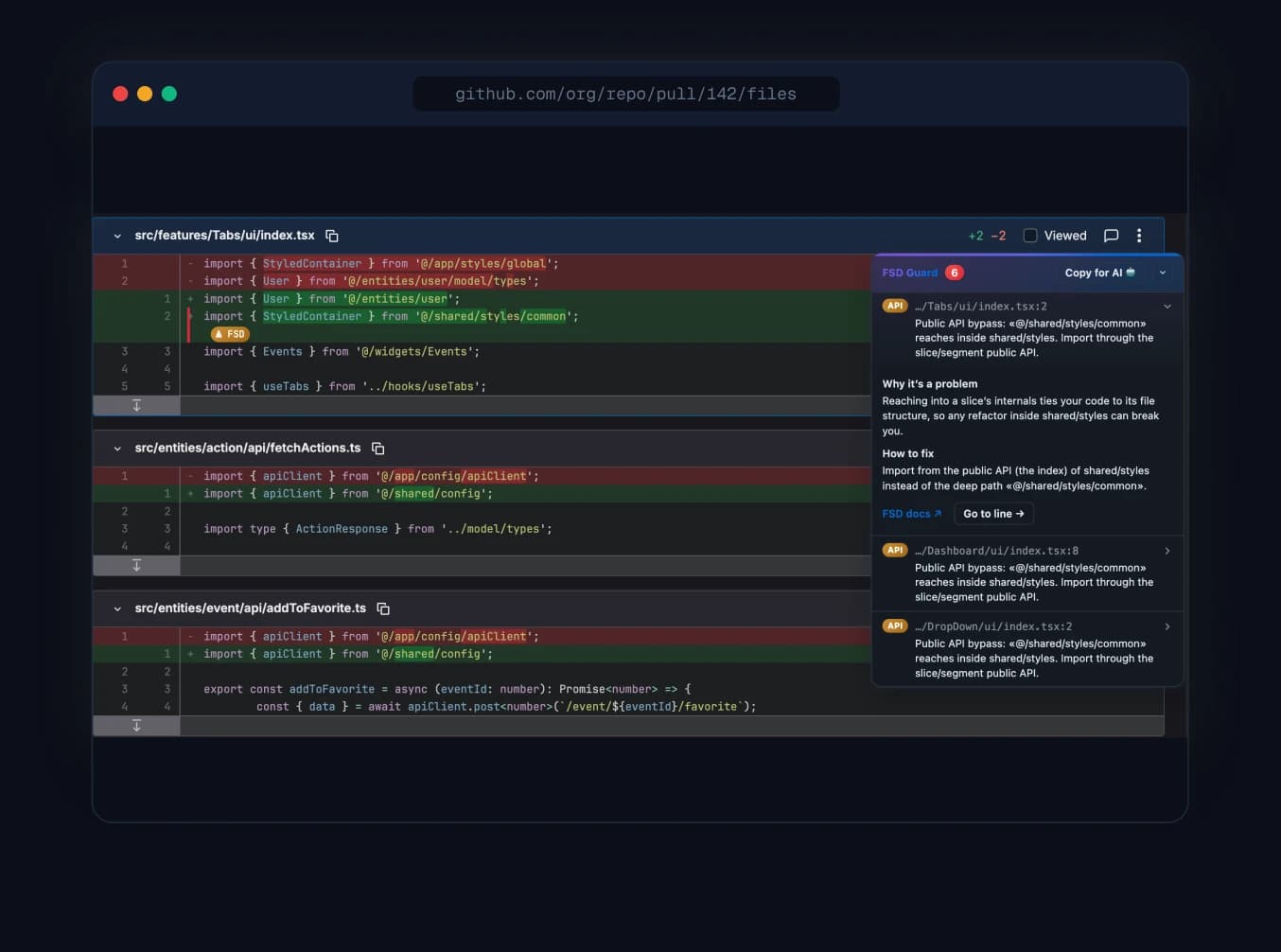
Review inside the PRA public-API bypass flagged in the diff, with the details panel explaining why and how to fix it. 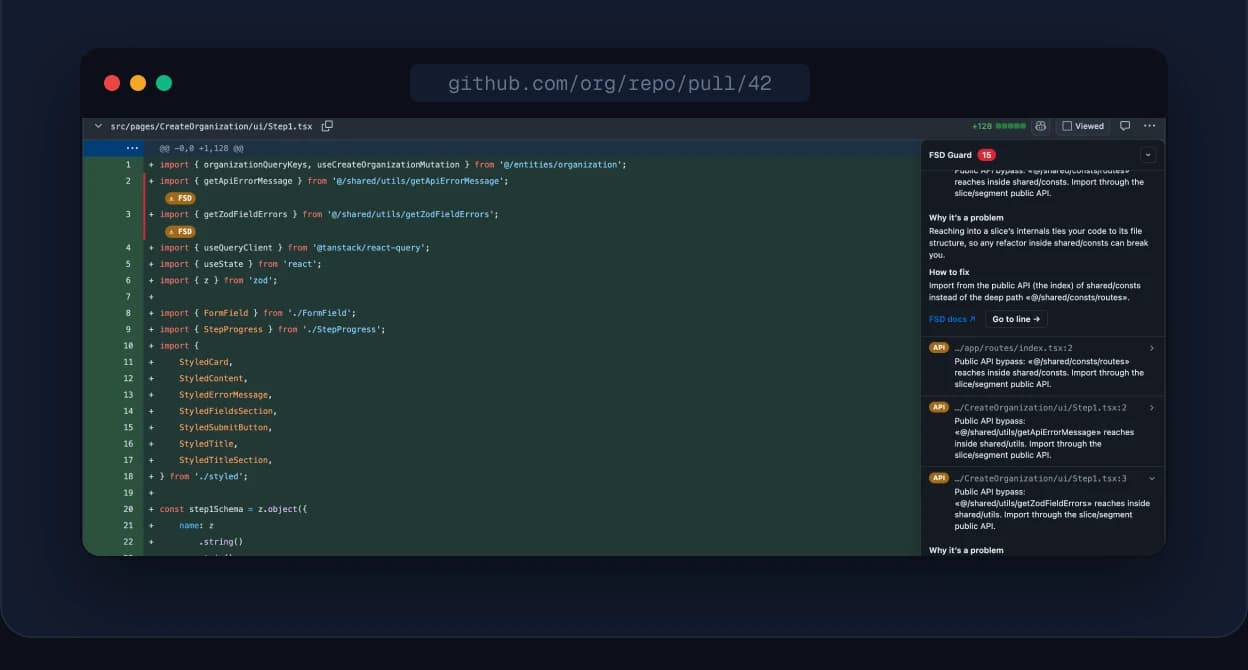
Inline warningsBanners injected right beneath the offending lines. 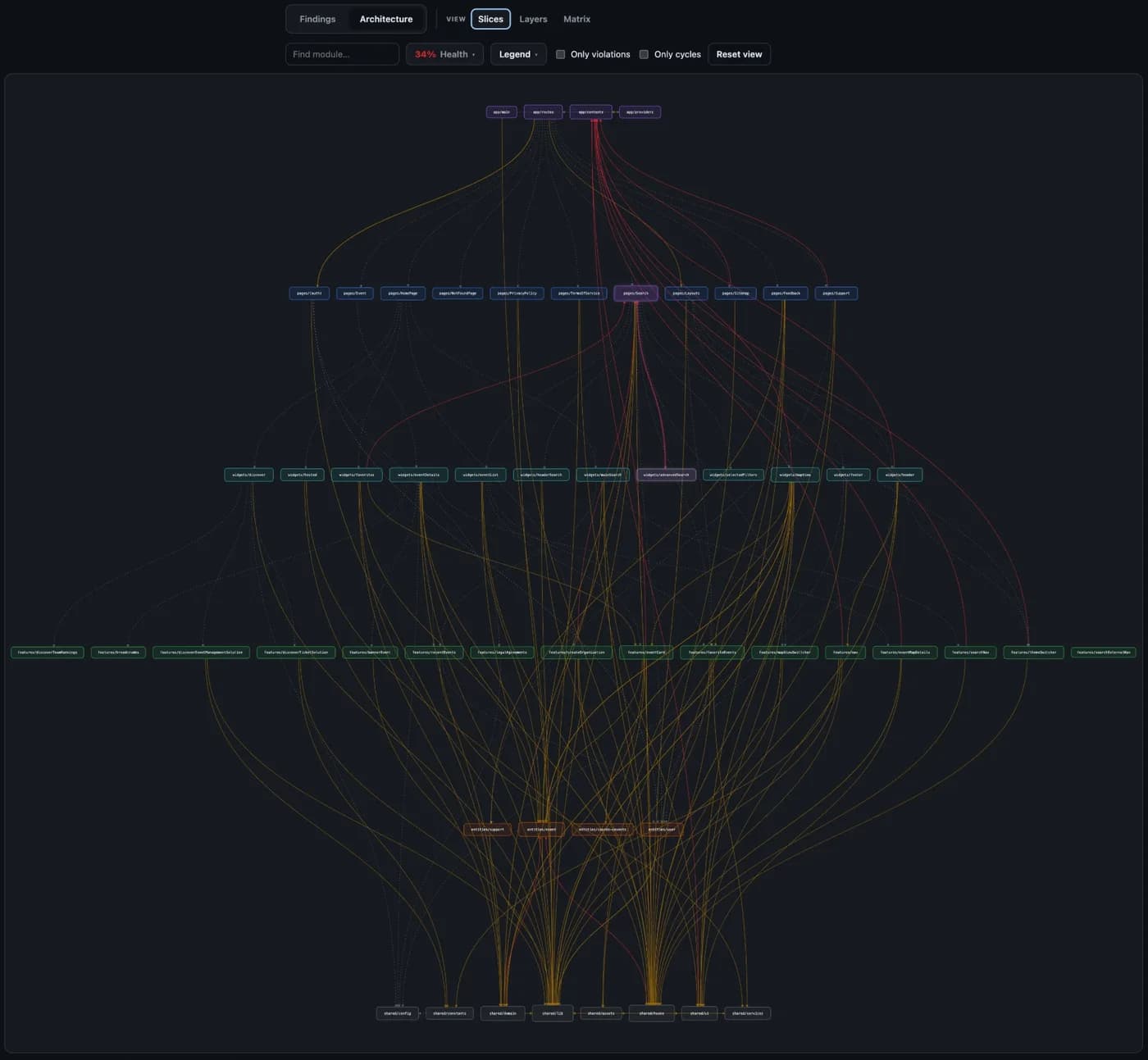
Dependency graphSlices by layer; violating imports solid and colour-coded, clean ones dashed. 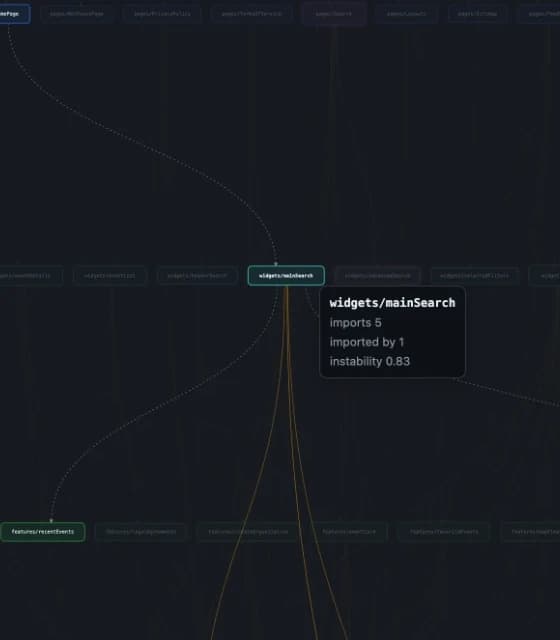
Trace any moduleHover a slice and everything else fades: what it imports, who imports it, its instability. 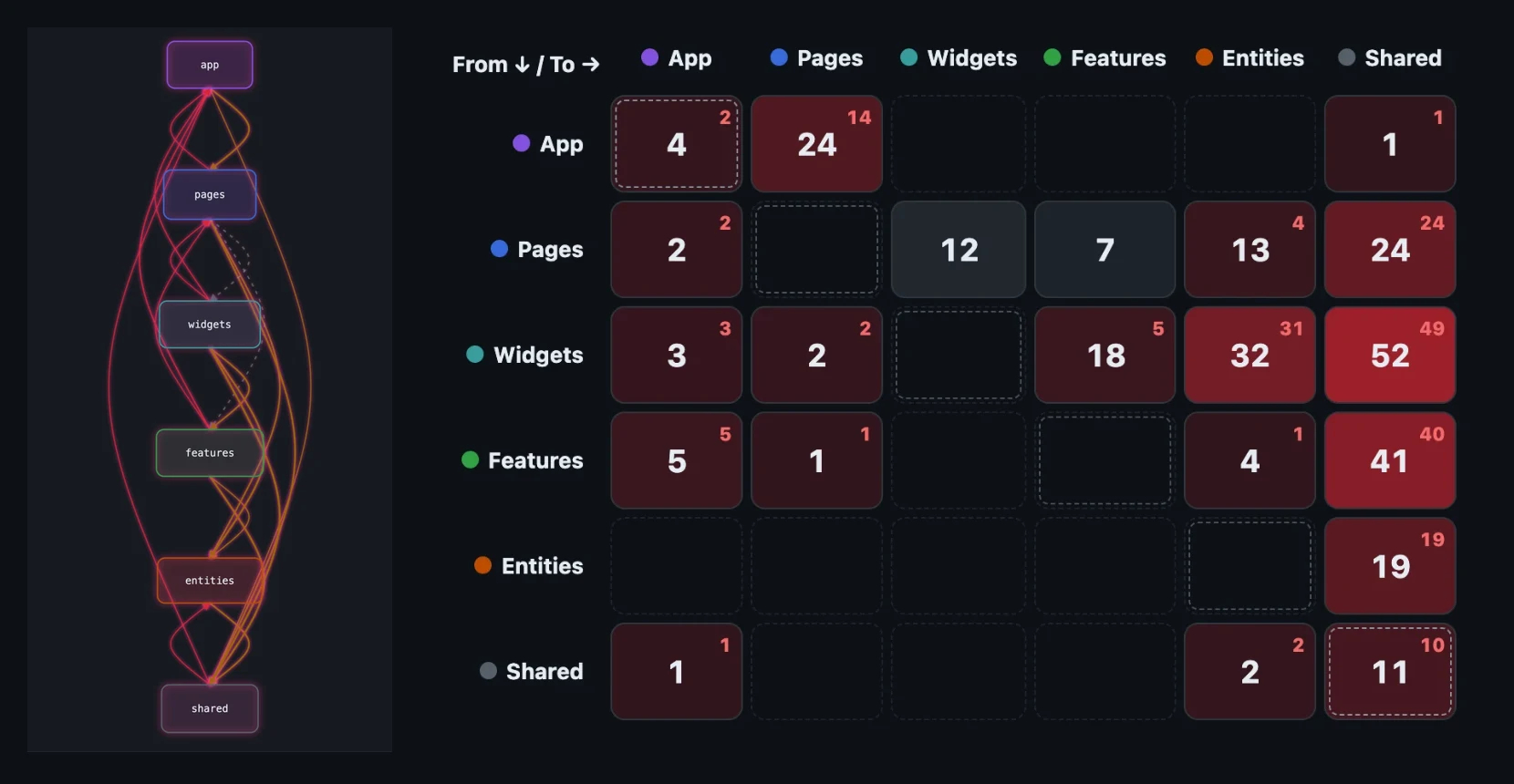
Layers & MatrixDozens of slices collapsed into six layers, or a layer-to-layer heatmap where red cells hold violations. 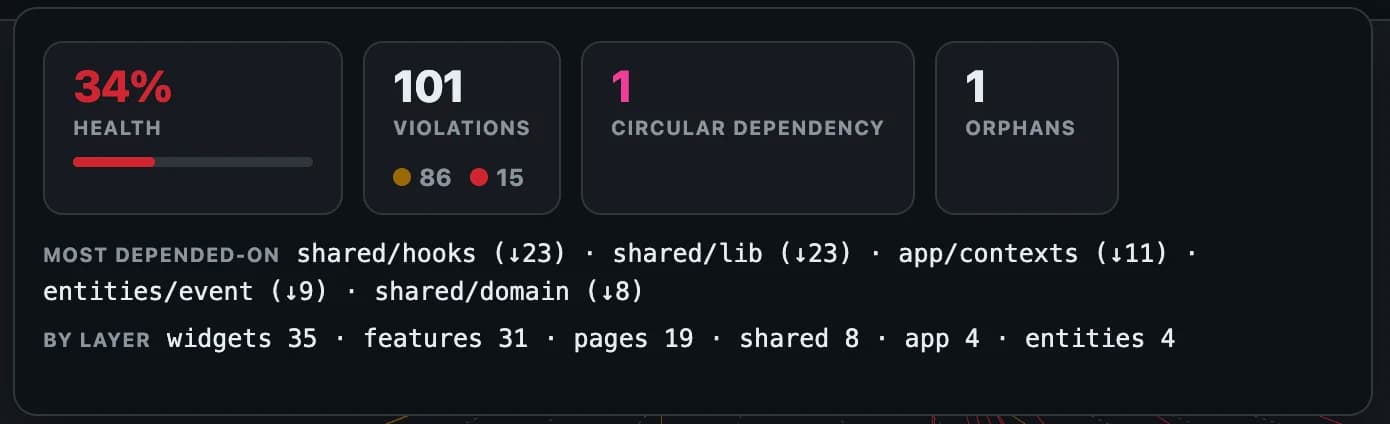
Health, cycles & hotspotsClean-edge share, violations by type and layer, cycles, orphans and the most-depended-on modules. 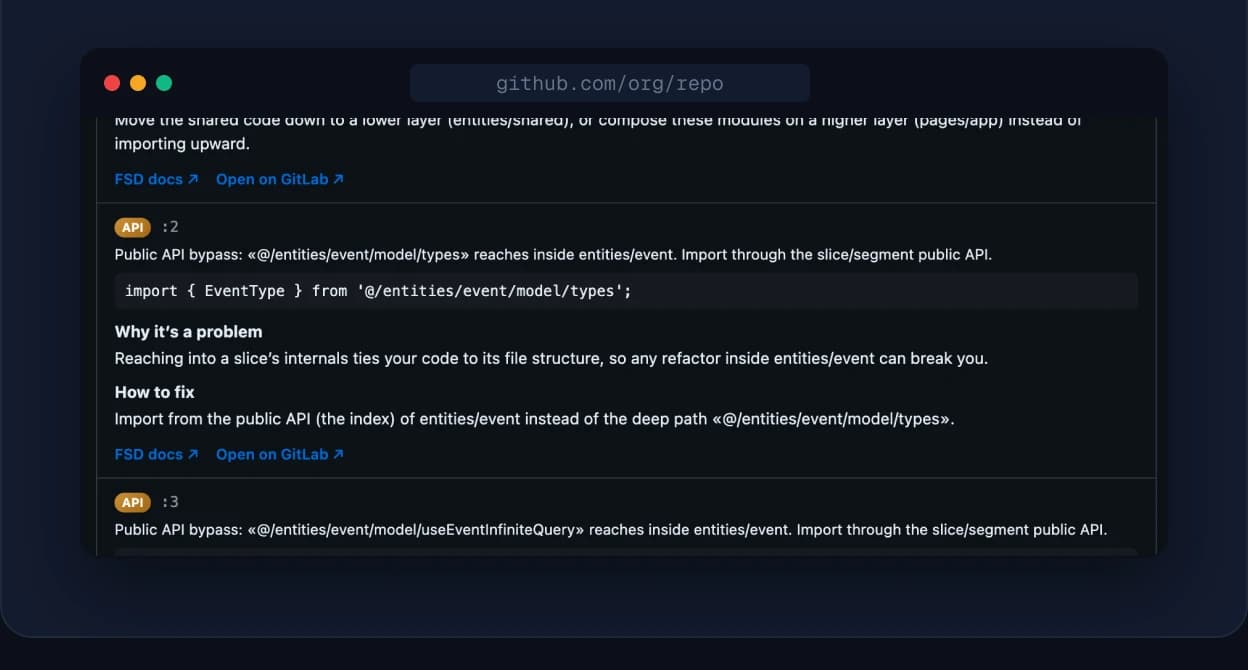
Repository auditEvery layer violation in the codebase, listed by file. 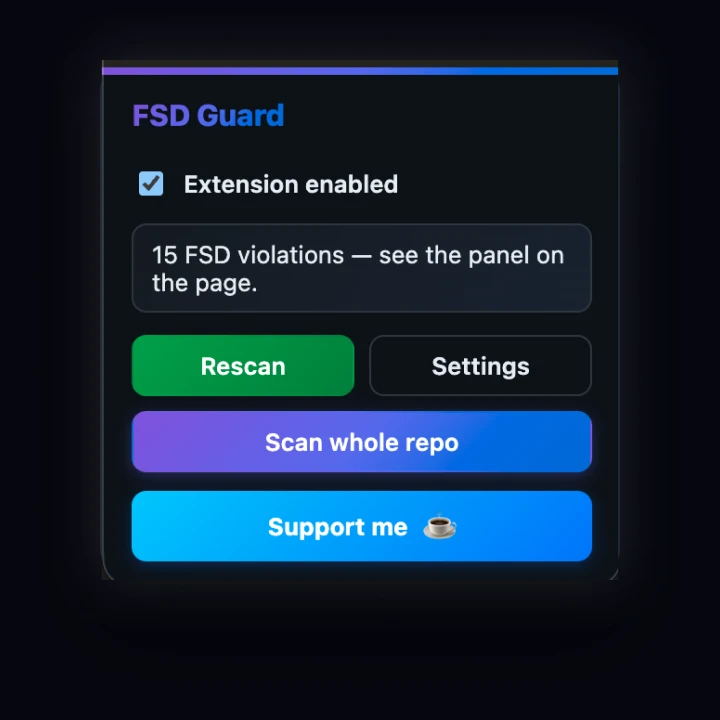
One-click popupRescan the PR or scan the whole repository from the toolbar.